The Reviews section gives you a single view of every customer review across all the locations you manage in LocalOptics — without needing to open each location individually.
From here you can monitor your overall reputation, spot reviews that haven't been responded to, and reply to customers directly. It's designed to save you time by keeping everything in one place rather than jumping between individual location dashboards.
💡 Good to know: This is different from the Reviews tab inside a single location dashboard. The top-level Reviews section shows reviews from all your locations combined — making it the go-to tool for agencies or businesses managing multiple locations.
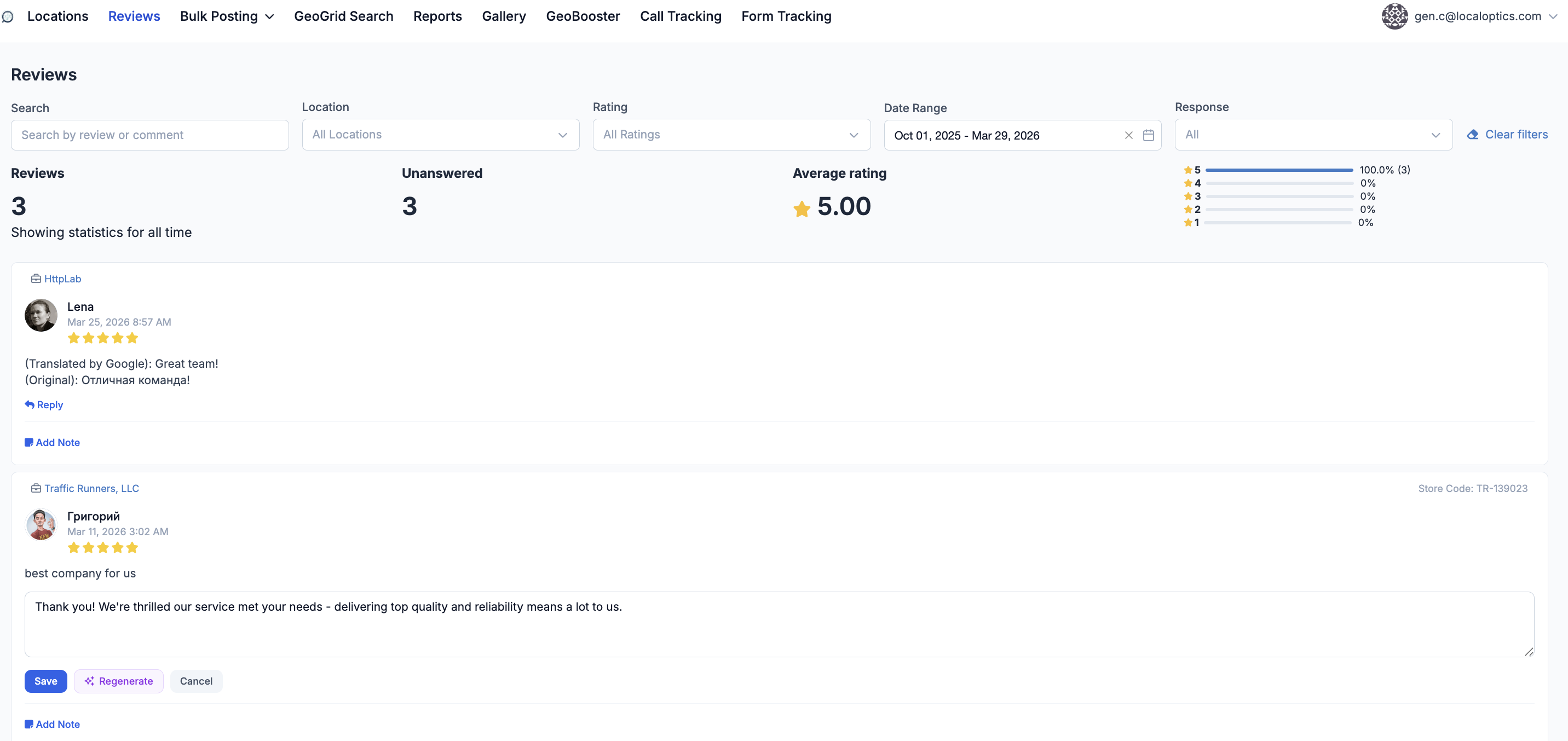
Using the Filters
The filter bar at the top of the page lets you narrow down exactly which reviews you want to see. There are five filters:
🔍 Search Type any keyword to search through review text and comments. Useful for finding reviews that mention a specific service, team member, or product.
📍 Location Filter by a specific location. By default all locations are shown. Use this when you want to focus on one business at a time.
⭐ Rating Filter by star rating — 1 through 5, or show all. Use this to quickly pull up all your 1-star reviews to prioritize responses, or all your 5-star reviews to understand what's working.
📅 Date Range Filter reviews by a custom date range. Use this to see reviews from the last 30, 90, or 180 days — useful for tracking reputation changes over a specific period.
💬 Response Filter by whether a review has been replied to or not. Set this to "Unanswered" to see only the reviews that still need attention — this is the fastest way to work through your reply backlog.
Need Help?
If you have questions about the Reviews section or need help with reply settings, reach out to the LocalOptics support team through the platform.