What Is the Blocklist?
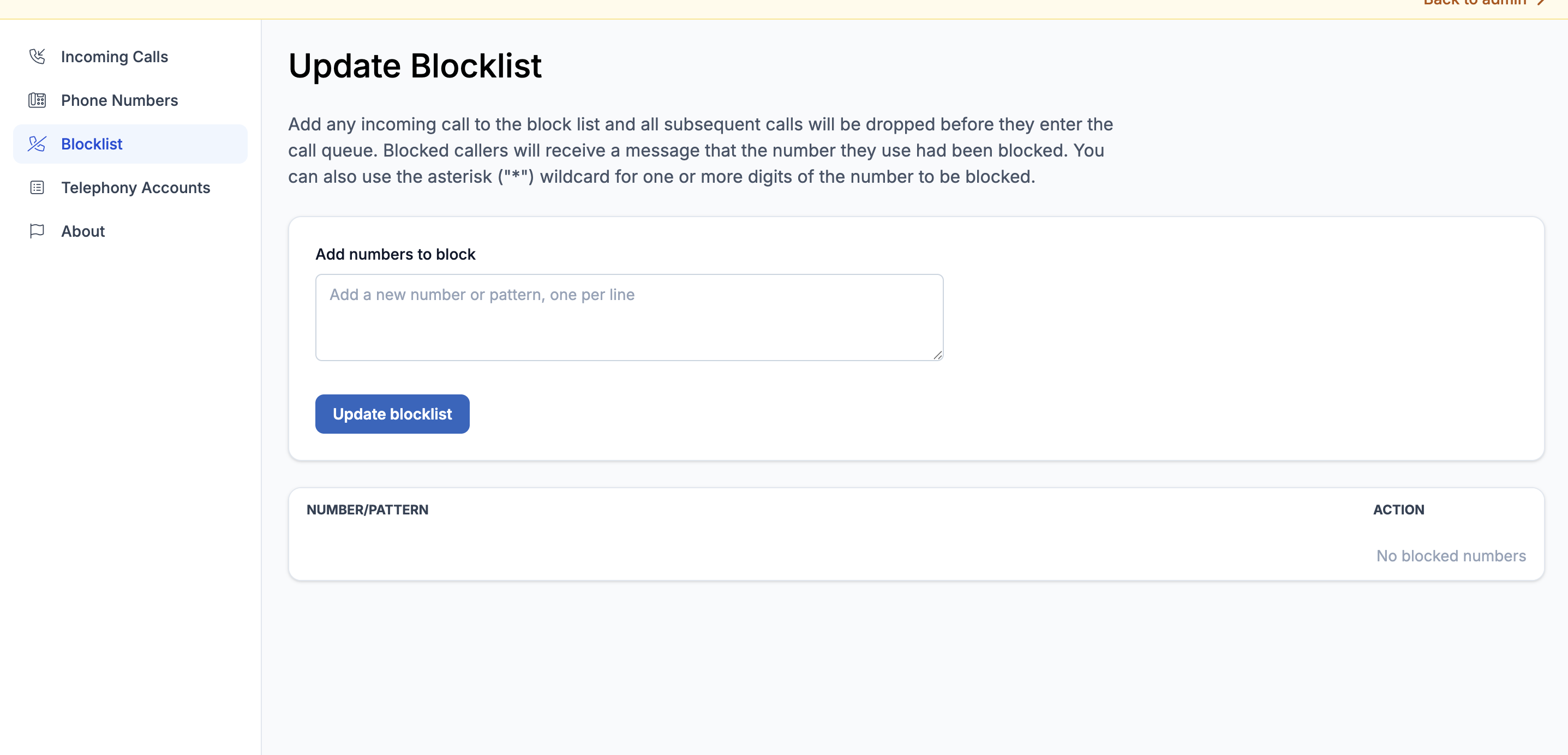
The Blocklist lets you prevent specific phone numbers from reaching any of your LocalOptics tracking numbers. Once a number is added to the blocklist it will be blocked automatically — no manual intervention needed when that number calls again.
💡 Good to know: The Blocklist is global — meaning any number you add applies across your entire account. However, blocklist enforcement is toggled individually on each phone number's settings page. A tracking number only enforces the blocklist if the Blocklist Enforcement toggle is turned on in its configuration.
How to Block a Number
You can block callers in two ways:
Block a specific number Enter the full phone number you want to block. For example: +18885551234
Block a number pattern using wildcards Use an asterisk * as a wildcard to block entire ranges of numbers that match a pattern.
For example: 1888555* blocks every number that starts with +1 888 555 — covering the entire prefix rather than one number at a time.
This is especially useful for blocking robocall campaigns or spam numbers that rotate through many different digits at the end.
⚠️ Remember: Adding a number to the blocklist alone is not enough. You also need to make sure Blocklist Enforcement is turned on in the settings of each tracking number you want it to apply to. See the Phone Numbers article for how to enable this.