The Notifications tab lets you choose which changes to your Google Business Profile you want to be alerted about — and how you want to receive those alerts, either by email or SMS.
This is especially useful for catching unauthorized or unexpected changes to your profile as soon as they happen, without having to manually check the Change Log every day.
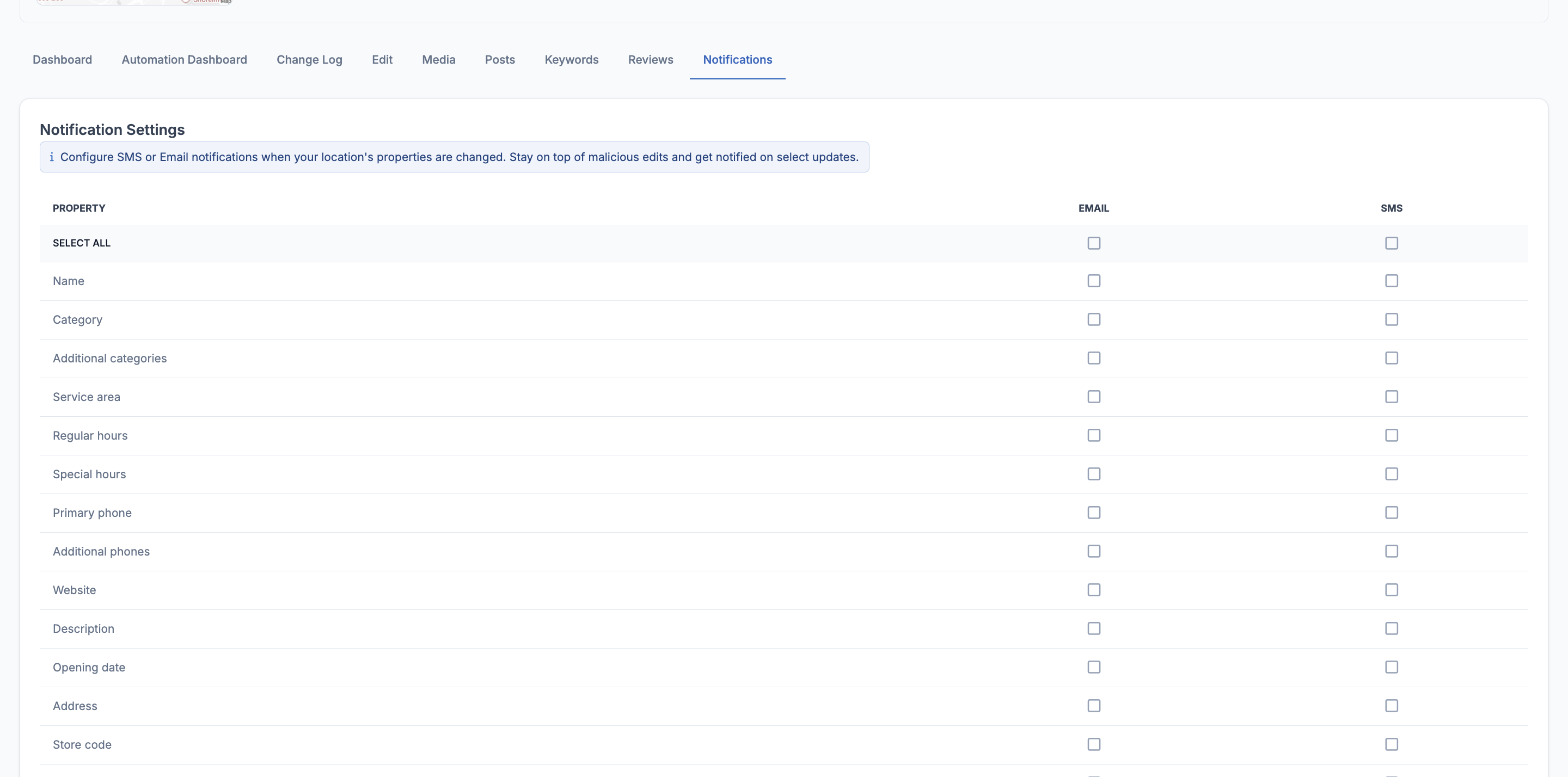
💡 Good to know: You can enable email, SMS, or both for each property independently. Only tick the ones that matter most to you to avoid notification overload.
How to Set Up Notifications
Setting up notifications takes less than a minute:
- Go to your location dashboard and click the Notifications tab
- You'll see a list of all trackable profile properties
- For each property you want to monitor, tick the Email box, the SMS box, or both
- Use Select All at the top to enable notifications for every property at once
- Your preferences are saved automatically — no save button needed
⚠️ Heads up: Make sure your email address and mobile number are up to date in your account settings so notifications reach you correctly.