
Where to find it: Top navigation bar → Bulk Posting
When you click Bulk Posting in the top navigation bar, you'll see a dropdown menu with three options:
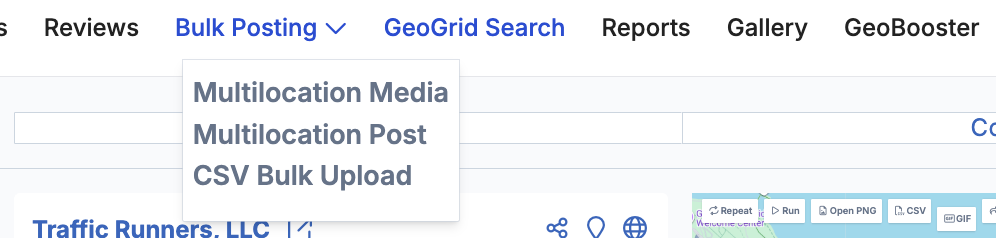
Multi Media is covered in the Image Gallery and Media Uploading articles — it follows the same upload, category, EXIF, and scheduling workflow but applies it across multiple locations simultaneously.
Multi Posts is what the Bulk Posting article above covers — creating Standard, Event, Offer, or Alert posts with Spintax, images, and recurring schedules across multiple locations.
CSV Bulk Posts is CSV-based posting tool. Instead of creating posts manually one by one, you prepare a spreadsheet with all your post details — content, location, date, post type, and so on — and upload it as a CSV file.