GeoGrids Live GeoGrids vs. Scheduled GeoGrids Understand the difference between running a GeoGrid on demand and setting one up to run automatically on a schedule.
The Two Types of GeoGrids
LocalOptics offers two ways to run GeoGrids — Live and Scheduled. Both give you the same ranking data, but they serve different purposes depending on whether you need a quick snapshot or ongoing tracking.
Live GeoGrids — On-Demand Analysis
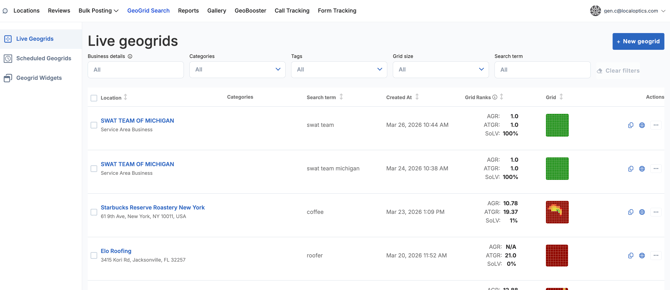
A Live GeoGrid is a one-time search you run manually whenever you need it. You choose the business, the search term, the grid size, and the node distance, and the GeoGrid runs immediately and shows you results on the spot.
When to use Live GeoGrids:
- You want to quickly check how a business is ranking right now
- You're doing a one-off competitive analysis for a specific search term
- You want to test a new keyword before committing to a scheduled run
- You need an immediate snapshot to share with a client or include in a report
Scheduled GeoGrids — Automated Tracking
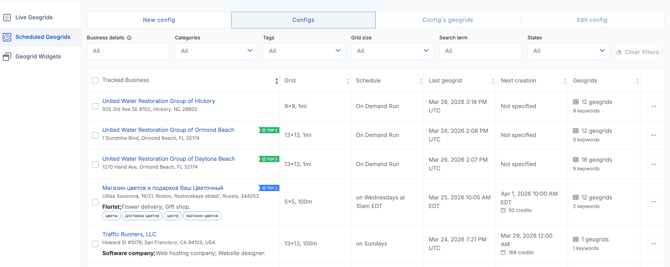
A Scheduled GeoGrid is set up once and then runs automatically on a recurring schedule — weekly, monthly, every Sunday, every second day of the month, or any frequency you choose. The results build up over time into a historical record of how rankings are changing.
When to use Scheduled GeoGrids:
- You want to track ranking progress for a business over weeks or months
- You're managing an ongoing client and need consistent, comparable data
- You want to be notified automatically when rankings improve or drop
- You need regular reporting without having to remember to run GeoGrids manually